
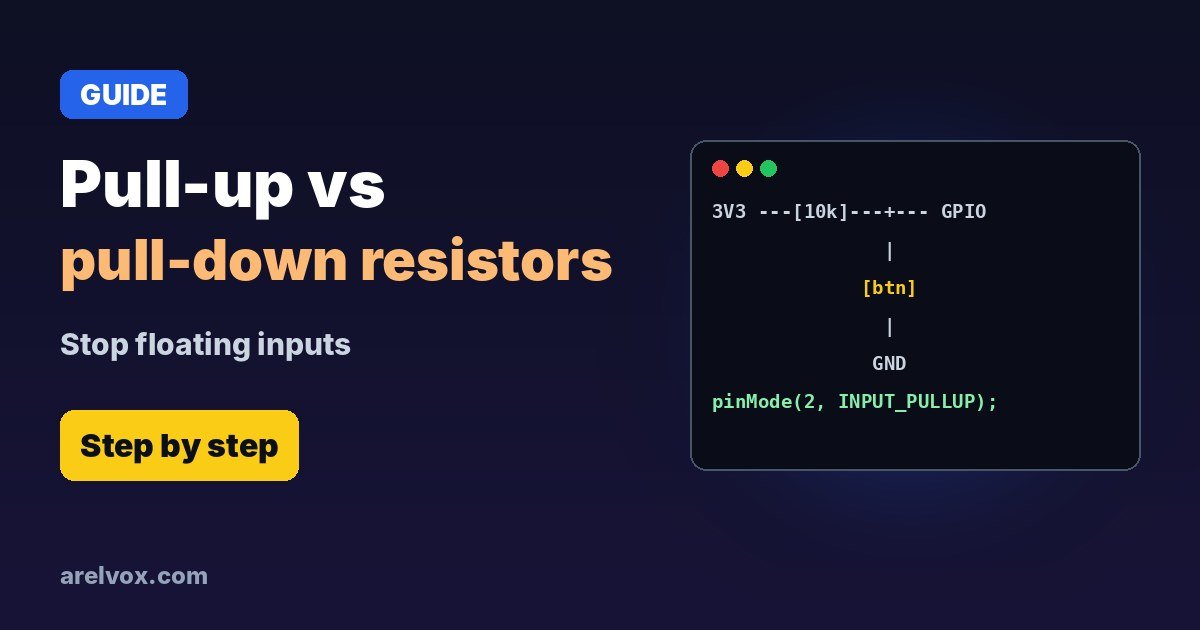
INPUT_PULLUP in code.You wire a button to an Arduino or ESP32, and the input flickers between HIGH and LOW even when nobody touches it. That is not a broken board: the pin is floating. Pull-up and pull-down resistors fix it, and once you understand them you will see them everywhere, from buttons to I2C.
Why Inputs Float
A microcontroller input has a very high resistance, so it barely draws any current. When the button is open, the pin is connected to nothing and picks up noise from your hand, nearby wires and Wi-Fi. A resistor to a fixed voltage gives the pin a defined state when the button is released.
Pull-Up vs Pull-Down
| Pull-up | Pull-down | |
|---|---|---|
| Resistor goes to | 3.3 V or 5 V | GND |
| Button goes to | GND | 3.3 V or 5 V |
| Not pressed reads | HIGH | LOW |
| Pressed reads | LOW | HIGH |
| Internal option | Arduino and ESP32 | ESP32 only (most AVR Arduinos have none) |
How to Choose the Value
When the button is pressed, current flows through the resistor: with 3.3 V and 10 kΩ that is 0.33 mA, tiny. Too small a resistor wastes power; too big and the pin becomes sensitive to noise again. That is simple Ohm’s law.
- Buttons and switches: 10 kΩ (anything from 4.7 kΩ to 47 kΩ works).
- I2C (SDA/SCL): 4.7 kΩ, or 2.2 kΩ for long wires or 400 kHz.
- Battery projects: larger values (100 kΩ) waste less current.
Arduino Example: Internal Pull-Up
const int BUTTON = 2;   // button between pin 2 and GND

void setup() {
  Serial.begin(115200);
  pinMode(BUTTON, INPUT_PULLUP);   // no external resistor needed
}

void loop() {
  if (digitalRead(BUTTON) == LOW) {   // LOW = pressed
    Serial.println("Pressed");
  }
  delay(50);
}
ESP32 and ESPHome
On the ESP32 you can use INPUT_PULLUP or INPUT_PULLDOWN. Careful with GPIO34–39: they have no internal resistors, so add an external one. Some pins also have strapping functions at boot, see ESP32 pins safe to use. In ESPHome:
binary_sensor:
  - platform: gpio
    name: "Door Button"
    pin:
      number: GPIO27
      mode:
        input: true
        pullup: true
      inverted: true
Pull-Ups in I2C
I2C lines are “open drain”: devices can only pull them low, so the bus needs pull-ups to go high. Most sensor modules (like the BME280 in our ESP32 temperature sensor guide) already include them. If you connect many modules, the resistors add up in parallel and can get too strong; remove some if the bus misbehaves.
Related: the voltage divider uses two resistors in a similar way, and our resistor color code guide helps you find a 10 kΩ in the drawer (brown, black, orange).
Frequently Asked Questions
What value should a pull-up resistor be?
For buttons and switches, 10 kΩ is the classic choice. For I2C buses, 4.7 kΩ is typical, and 2.2 kΩ for faster or longer buses.
Do I need an external pull-up on Arduino or ESP32?
Often not. Both have internal pull-ups you can enable in code with INPUT_PULLUP. The ESP32 also has internal pull-downs. Use external resistors for long wires, I2C, or pins without internal resistors.
Why does my button read random values?
The input is floating: when the button is not pressed, nothing defines the voltage. Add a pull-up or pull-down, or enable the internal one.
Which ESP32 pins have no internal pull-ups?
GPIO34 to GPIO39 on the classic ESP32 are input-only and have no internal pull-up or pull-down resistors. Use an external resistor on those.
Pull-up or pull-down: which one is better?
Pull-up with the button to ground is the most common, because many chips have internal pull-ups and it is less sensitive to noise. The logic is inverted: pressed reads LOW.