
Use this free chmod calculator to convert Linux file permissions between numeric values like 755 and symbolic notation like rwxr-xr-x. Tick the boxes or type a number, and you get the exact chmod command ready to copy into your terminal.
Chmod Calculator
| Read (4) | Write (2) | Execute (1) | |
|---|---|---|---|
| Owner | |||
| Group | |||
| Others |
Result
Numeric
755
Symbolic
rwxr-xr-x
Command
chmod 755 filename
How to Use the Chmod Calculator
- Tick the read, write and execute boxes for the owner, the group and everyone else.
- Or type a three-digit value, such as 644, and the boxes update automatically.
- Add your file or folder name, then copy the ready-made command.
In addition, the presets cover the most common cases, so you can set safe permissions in one click. Moreover, the result explains in plain English who can read, write or run the file.
What Does Chmod Do?
On Linux and other Unix-like systems, every file and folder has permissions. The chmod command, short for change mode, changes those permissions, and a chmod calculator helps you pick the right value. In other words, each file has three groups of users: the owner, the group and others. Then, for each group, you can allow three actions: read, write and execute.
Getting permissions right matters because it affects security. For example, a private SSH key should never be readable by other users, and a web server should not be able to write to its own code. If you are still learning the terminal, start with our list of essential Linux commands every beginner should know. A chmod calculator removes the guesswork while you learn.
How Chmod Numbers Work
First of all, each permission has a value. Read is 4, write is 2 and execute is 1. As a result, to get one digit you simply add the values together. Therefore, read plus write plus execute equals 7, while read plus execute equals 5.
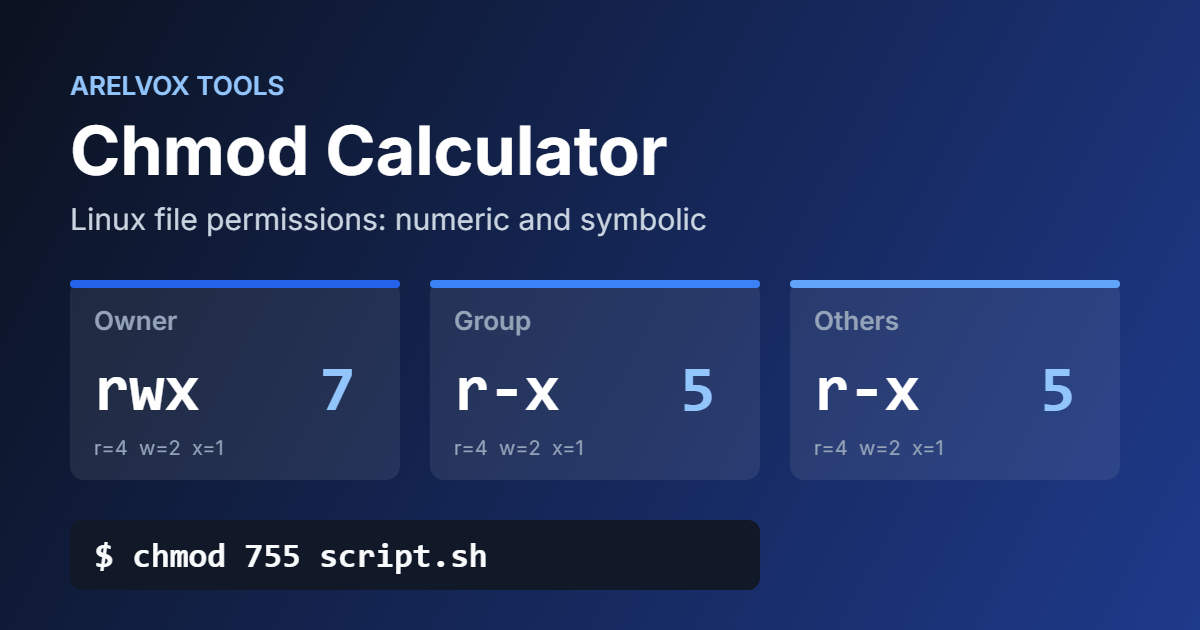
A chmod value uses three digits in a fixed order: owner, group and others. So 755 means the owner gets 7 (rwx), and both the group and others get 5 (r-x). The chmod calculator does this addition for you and shows the symbolic version next to it.
Common Chmod Permissions Cheat Sheet
Below are the values you will use most often. You can load the main ones from the presets in the chmod calculator above.
| Value | Symbolic | Typical use |
|---|---|---|
| 644 | rw-r–r– | Regular files, HTML and config files |
| 755 | rwxr-xr-x | Scripts, programs and folders |
| 600 | rw——- | Private files such as SSH keys |
| 700 | rwx—— | Private folders and personal scripts |
| 640 | rw-r—– | Files shared only with your group |
| 775 | rwxrwxr-x | Shared project folders |
| 777 | rwxrwxrwx | Everyone can do everything (avoid it) |
Chmod Examples for Everyday Tasks
- Make a script executable: chmod 755 backup.sh lets you run it, while others can still read it.
- Protect an SSH key: chmod 600 ~/.ssh/id_ed25519 keeps the key private, which SSH requires anyway. The chmod calculator shows it as rw——-.
- Fix a website folder: use 755 for folders and 644 for files, a common rule for WordPress sites.
- Apply to a whole folder: add -R, as in chmod -R 755 project, to change everything inside it.
Similarly, scripts often run on a schedule. Our guide on how to automate tasks on Linux with cron jobs shows how to combine executable scripts with cron. Finally, for every option of the command, check the official chmod manual page.
Chmod Calculator FAQ
What does chmod 777 mean?
It gives read, write and execute permissions to everyone on the system. However, that is rarely a good idea, because any user or compromised process could change the file. Use the chmod calculator to find a safer value, such as 755 or 775.
What is the difference between 644 and 755?
Both let everyone read the file, and only the owner can change it. Try both values in the chmod calculator to compare them. The main difference, however, is execute: 755 allows running the file or opening the folder, while 644 does not. You can read more about the history of chmod on Wikipedia.
Is this chmod calculator free?
Yes. The chmod calculator is free, needs no sign-up and runs in your browser. Working with networks too? Try our subnet calculator for IPv4 addresses.