
Knowing how to calculate subnets is one of the most useful networking skills you can learn. It comes up in certification exams, in home labs and whenever you plan a network for an office. The good news is that you do not need complex binary math. With one simple trick, you can find the network address, broadcast address and host range of any IPv4 address in under a minute.
In this guide you will learn how to calculate subnets by hand, step by step, with real examples. When you finish, you can check every answer with our free subnet calculator.
What You Need to Know First
Before you learn how to calculate subnets, you only need a few basic ideas. Every IPv4 address has 32 bits, split into four groups of 8 bits called octets. A subnet mask, or a prefix like /24, tells you how many of those bits belong to the network. The remaining bits identify individual devices, called hosts.
For example, in 192.168.1.10/24 the first 24 bits are the network part and the last 8 bits are the host part. If these ideas are new to you, first read our guide to IP addresses, routers and DNS, and then come back here.
| Prefix | Subnet mask | Block size | Usable hosts |
|---|---|---|---|
| /24 | 255.255.255.0 | 256 | 254 |
| /25 | 255.255.255.128 | 128 | 126 |
| /26 | 255.255.255.192 | 64 | 62 |
| /27 | 255.255.255.224 | 32 | 30 |
| /28 | 255.255.255.240 | 16 | 14 |
| /29 | 255.255.255.248 | 8 | 6 |
| /30 | 255.255.255.252 | 4 | 2 |
The Magic Number Method
The fastest way to calculate subnets by hand is the magic number, also called the block size. Subnets always start at multiples of this number, so once you know it, everything else falls into place.
- Find the interesting octet: the first octet of the mask that is not 255.
- Calculate the magic number: 256 minus the mask value in that octet.
- List the multiples of the magic number. The network address is the multiple that is equal to or just below your IP.
- The broadcast address is the next multiple minus one.
- The usable hosts are everything between the network and broadcast addresses.
Example 1: 192.168.10.75/26
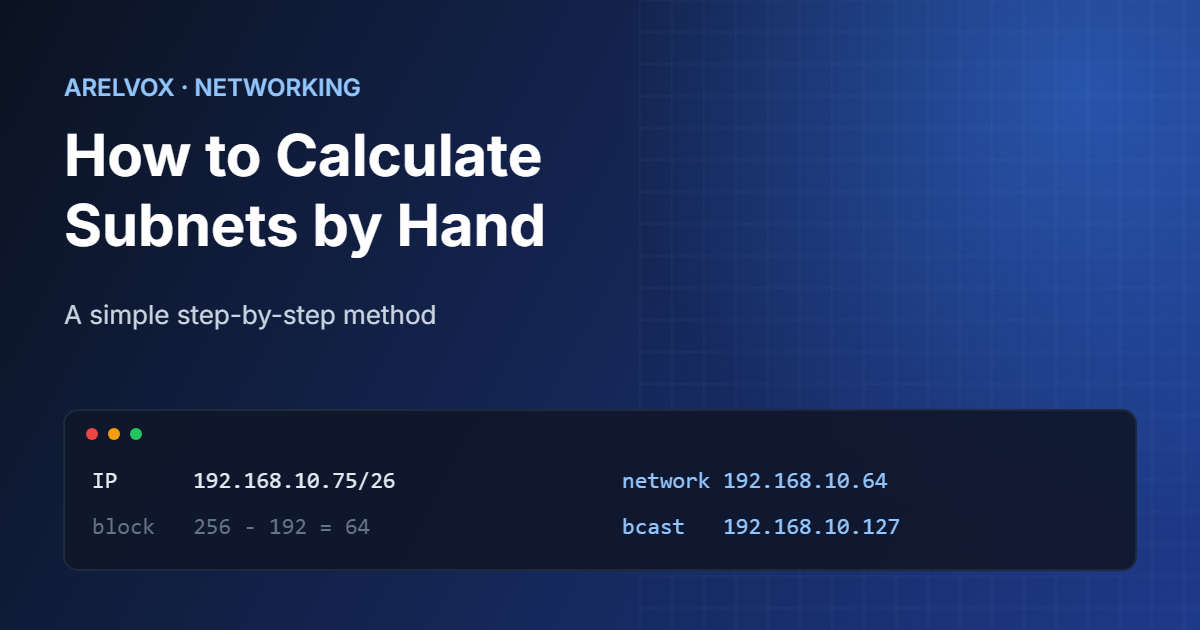
Let us see how to calculate subnets with a common exam question. First, convert /26 into a mask: 255.255.255.192. The interesting octet is the fourth one, because it is the first that is not 255.
- Magic number: 256 − 192 = 64.
- Multiples of 64: 0, 64, 128, 192. Our IP ends in 75, so it sits between 64 and 128.
- Network address: 192.168.10.64.
- Broadcast address: 128 − 1 = 192.168.10.127.
- Usable host range: 192.168.10.65 to 192.168.10.126, which is 62 hosts.
That is the whole calculation. As a result, you can solve most subnetting questions without writing a single binary number.
Example 2: 172.16.45.200/20
This second example shows how to calculate subnets when the interesting octet is not the last one. A /20 prefix gives the mask 255.255.240.0, so this time the interesting octet is the third.
- Magic number: 256 − 240 = 16, applied to the third octet.
- Multiples of 16: 0, 16, 32, 48. The third octet is 45, so it falls between 32 and 48.
- Network address: 172.16.32.0.
- Broadcast address: 172.16.47.255, because the fourth octet is all ones.
- Usable hosts: 172.16.32.1 to 172.16.47.254, or 4,094 addresses.
Notice that the fourth octet is 0 for the network and 255 for the broadcast. This happens whenever the interesting octet is not the last one.
How to Split a Network into Subnets
Knowing how to calculate subnets also lets you do the opposite: take one network and divide it into smaller ones. To do that, you borrow host bits. Each borrowed bit doubles the number of subnets and halves their size.
For example, to split 192.168.1.0/24 into four subnets, you borrow 2 bits, because 2² = 4. The new prefix is /26, with a magic number of 64:
192.168.1.0/26     hosts .1   to .62
192.168.1.64/26    hosts .65  to .126
192.168.1.128/26   hosts .129 to .190
192.168.1.192/26   hosts .193 to .254
Similarly, if you start from the number of hosts you need, choose the smallest subnet that fits. Remember that you lose two addresses in every subnet, one for the network and one for the broadcast. For 50 devices you need a /26 (62 usable hosts), and for 500 devices you need a /23 (510 usable hosts).
Common Mistakes When You Calculate Subnets
- Forgetting the two reserved addresses. A /26 has 64 addresses but only 62 usable hosts.
- Using the wrong octet. Always apply the magic number to the first octet of the mask that is not 255.
- Mixing up the broadcast address. It is the next network address minus one, not the next network itself.
- Ignoring the special cases. A /31 is used for point-to-point links and has two usable addresses, as described in RFC 3021, while a /32 is a single host.
The best way to avoid these mistakes is practice. Pick random addresses, calculate the subnets by hand and then confirm your results with the subnet calculator. After ten or twenty examples, the method becomes automatic.
Practice Questions
Try these on your own before checking the answers with the calculator:
- 10.0.5.130/25: what is the network address?
- 192.168.50.17/28: what is the broadcast address?
- 172.20.100.9/22: how many usable hosts are there?
Answers: 10.0.5.128, 192.168.50.31 and 1,022 hosts. If you got all three right, you now know how to calculate subnets by hand. For the full background on CIDR prefixes, the Wikipedia article on subnetworks is a good next read.
FAQ: How to Calculate Subnets
What is the easiest way to calculate subnets?
The easiest way is the magic number method: subtract the interesting mask octet from 256 and list its multiples. The network address is the multiple at or below your IP, and the broadcast is the next multiple minus one.
How many hosts are in a /26 subnet?
A /26 subnet has 64 addresses and 62 usable hosts, because the network address and the broadcast address cannot be assigned to devices.
Do I need to know binary to calculate subnets?
No. Binary helps you understand why the method works, but for day-to-day subnetting and most exam questions the magic number method is faster and less error-prone.